Gemini 4 Argon: A Practical Guide for Web Developers
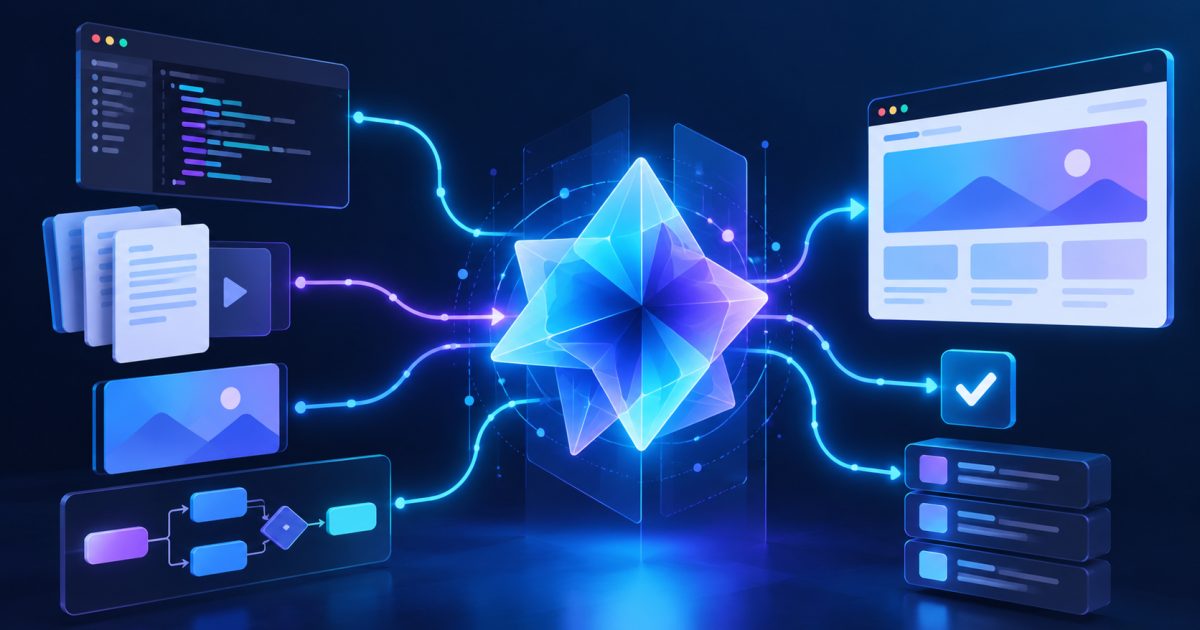
Gemini 4 Argon is Google's advanced reasoning model designed for complex software engineering, multi-step problem-solving, and AI-powered applications. For web developers, its release introduces new possibilities for code generation, debugging, large-codebase analysis, and building intelligent website features.
However, adding a powerful AI model to a website involves more than sending prompts to an API. Developers must consider response times, token consumption, security, application architecture, and output reliability.
This guide explains what Gemini 4 Argon is, how it differs from simpler AI models, and how to integrate it into practical web development workflows without creating unnecessary complexity or operational risks.
1. What Is Gemini 4 Argon?
Gemini 4 Argon is a reasoning-focused AI model from Google DeepMind, officially available through the Gemini API and Google AI Studio.
Its API model identifier is:
gemini-4-argonAccording to Google's official Gemini 4 Argon documentation, the model is designed for demanding workloads involving software engineering, autonomous multi-step agents, and complex reasoning.
Key capabilities developers should understand
Gemini 4 Argon supports several features relevant to modern web applications:
- Advanced reasoning: Analyzing complicated programming problems and dependencies.
- Long-context processing: Working with extensive documents, source code, and technical specifications.
- Multimodal inputs: Understanding text, images, video, audio, and PDF files.
- Function calling: Interacting with developer-defined application tools.
- Structured outputs: Returning information in formats suitable for application processing.
- Code execution: Supporting computational tasks through available tools.
- Search grounding: Using supported grounding capabilities when current information is required.
The model supports a unified context window of 1,048,576 tokens, shared across input, reasoning, and output.
That capacity is useful when analyzing a large project, but it should not be interpreted as unlimited memory or guaranteed accuracy.
What Gemini 4 Argon is not
Gemini 4 Argon is not a replacement for a web server, database, application framework, or production deployment pipeline.
It also does not generate images or audio directly through its documented model capabilities.
For websites requiring generated media, developers must select compatible services designed for those outputs.
Think of Argon as an intelligent processing component within an application, not the entire application infrastructure.
2. Why Gemini 4 Argon Matters for Web Developers
AI integration is becoming more useful for tasks that require understanding relationships between multiple parts of a project.
Gemini 4 Argon is particularly relevant where a simple prompt-response model may struggle with complex dependencies.
Step 1: Analyze large application codebases
Imagine maintaining a Laravel application containing:
- Authentication and authorization.
- Employee management.
- Database migrations.
- Payment processing.
- REST APIs.
- Background jobs.
- Third-party integrations.
A developer might need to identify why changing one database relationship unexpectedly breaks several modules.
A reasoning model can examine supplied source files, explain dependencies, and propose a targeted modification.
For example:
Analyze the supplied Laravel controller, model,
migration, and routes.

Identify why an employee update causes a database
constraint error.

Explain the root cause, recommend the smallest safe
change, and provide regression tests.

Do not modify unrelated functionality.
The important part is providing sufficient context and explicit constraints.
AI-generated fixes should still be reviewed before they are applied.
Step 2: Improve debugging workflows
Developers can use Argon to investigate:
- JavaScript runtime errors.
- Backend exceptions.
- API response failures.
- Database query performance.
- Authentication and session problems.
- Complex frontend state-management issues.
Instead of requesting a complete rewrite, provide the failing code, relevant logs, expected behavior, and reproducible steps.
This helps the model produce a more focused response.
Step 3: Build intelligent website features
Potential applications include:
- Customer support assistants.
- Product comparison tools.
- Document-processing systems.
- Internal knowledge search.
- Automated content classification.
- Technical troubleshooting assistants.
- Workflow automation with approval controls.
Not every feature requires a frontier reasoning model.
A straightforward FAQ chatbot, for example, may work better with a faster and less expensive model.
Choose the model according to task complexity rather than popularity.
3. How to Access Gemini 4 Argon Through the API
Google provides access through supported developer services, including the Gemini API and Google AI Studio.
Developers should start with the official Gemini 4 Argon developer guide.
Step 1: Create an API key
Open:
https://aistudio.google.com/
Sign in and follow the available API key creation process.
Before integrating the model, confirm that the project and account have access to Gemini 4 Argon.
Availability, usage limits, and billing requirements depend on the service and account configuration.
Never place an API key directly inside publicly accessible JavaScript, HTML, or a Git repository.
Step 2: Test the REST API
On Linux or macOS, set your API key as an environment variable:
export GEMINI_API_KEY="YOUR_API_KEY"Then make a request using curl:
curl -sS \
  "https://generativelanguage.googleapis.com/v1beta/interactions" \
  -H "x-goog-api-key: $GEMINI_API_KEY" \
  -H "Content-Type: application/json" \
  -X POST \
  -d '{
    "model": "gemini-4-argon",
    "input": "Explain three common causes of slow Laravel database queries."
  }'
This uses the Interactions API documented by Google.
A successful response returns a JSON object containing information about the interaction and its generated output.
For production software, inspect the complete response structure and handle error responses explicitly.
Step 3: Integrate the JavaScript SDK
For a Node.js backend, install Google's JavaScript SDK:
npm install @google/genaiCreate a file named gemini-test.mjs:
import { GoogleGenAI } from "@google/genai";

const client = new GoogleGenAI({
  apiKey: process.env.GEMINI_API_KEY,
});

async function main() {
  const interaction = await client.interactions.create({
    model: "gemini-4-argon",
    input: `
      Review this JavaScript expression:

      const total = items.reduce(
        (sum, item) => sum + item.price, 0
      );

      Explain potential validation and numeric
      precision issues.
    `,
    generation_config: {
      thinking_level: "medium",
    },
  });

  console.log(interaction.output_text);
}

main().catch((error) => {
  console.error("Gemini request failed:", error.message);
  process.exitCode = 1;
});
Run it:
node gemini-test.mjsThe GEMINI_API_KEY environment variable must already be configured in the process environment.
The code sends a request from the backend rather than exposing credentials in the browser.
Step 4: Understand reasoning levels
Gemini 4 Argon offers three documented thinking levels:
| Level | Practical purpose |
|---|---|
| Low | Simpler analysis and latency-sensitive tasks |
| Medium | Balanced reasoning for general development |
| High | Difficult coding and multi-step reasoning |
Medium is the documented default.
Higher reasoning levels may consume more tokens and increase response time.
Always test them against representative tasks before choosing a production default.
4. Build a Secure Website Integration
A working API request is only the beginning.
For production applications, the backend should control model access, validate user input, and verify AI-generated actions.
Step 1: Keep the API behind your server
Use an architecture such as:
User Browser
     |
     v
Website Backend
     |
     v
Authentication and Validation
     |
     v
Gemini API
     |
     v
Response Validation
     |
     v
User Interface
The browser communicates with your application's backend, not directly with a privileged API key.
Your backend should handle authentication, authorization, quotas, and request logging.
Step 2: Validate user input
Before sending information to the model:
- Authenticate the user when required.
- Enforce input-size restrictions.
- Validate uploaded file types.
- Remove unnecessary personal information.
- Reject requests outside the user's permissions.
- Apply appropriate rate limits.
Do not assume the model will reliably detect malicious or unauthorized requests on its own.
Step 3: Treat model output as untrusted
An AI response should not automatically become executable code, database instructions, or administrative commands.
For example, if Argon generates SQL, review the statement before running it against a production database.
For HTML output, use appropriate escaping or sanitization to prevent cross-site scripting.
When the model suggests changes to access-control logic, independently test authorization rules.
Step 4: Secure function calling
Function calling allows a model to request actions through application-defined tools.
This is useful for tasks such as retrieving order information or querying internal documentation.
However, the application must decide whether each requested action is allowed.
A model-generated tool call should never bypass user permissions.
Sensitive actions—such as modifying payments, deleting records, or sending external messages—should require additional validation and, where appropriate, explicit approval.
5. Manage Performance, Context, and API Costs
One practical challenge with advanced reasoning models is deciding how much intelligence each request actually needs.
Complex models can be useful, but unnecessary reasoning and large prompts can increase latency and resource consumption.
Step 1: Send only relevant context
A large context window does not mean developers should submit an entire repository for every request.
Instead:
- Identify the affected module.
- Retrieve relevant files or documentation.
- Include necessary dependencies.
- Explain the problem and expected result.
- Ask for a focused, verifiable solution.
For code debugging, a controller, model, migration, and stack trace may be more useful than thousands of unrelated files.
Step 2: Control token usage
Gemini 4 Argon provides a max_output_tokens setting that limits combined thinking and output tokens.
Setting it too low can truncate a complex answer.
Setting it unnecessarily high can increase the maximum possible consumption.
Google also supports longer background execution for demanding tasks that require large outputs.
See the latest-model documentation for configuration and continuation guidance.
For most website features, start with a reasonable output limit and evaluate actual usage before increasing it.
Step 3: Understand caching
Gemini 4 Argon supports implicit context caching.
However, the model does not support explicit context caching through the older explicit caching workflow.
Applications migrating from earlier models should review caching-related API calls rather than assuming they remain compatible.
Step 4: Prepare for long-running requests
Complex reasoning can take substantially longer than a normal database query.
Avoid making the user's browser wait indefinitely.
Better approaches include:
- Background jobs for long tasks.
- Clear processing indicators.
- Request timeouts.
- Retry policies for temporary failures.
- Cancellation controls where supported.
- Saving results for later retrieval.
For a Laravel project, long-running AI workflows are often better handled through a queue worker rather than inside a synchronous page request.
Avoid blindly retrying expensive requests. Check whether a previous operation already completed.
6. Migrate Existing AI Features and Verify Results
Switching an existing application to Gemini 4 Argon should be treated as an application change, not merely a model-name replacement.
Step 1: Review API compatibility
Google's migration guidance identifies several important considerations:
- Use the
gemini-4-argonmodel identifier. - Review output token limits.
- Configure the appropriate thinking level.
- Remove unsupported explicit caching calls.
- Review sampling settings that the model ignores.
- Consider background execution for long workloads.
- Preserve conversation state using supported interaction mechanisms.
Do not assume previous request parameters behave identically.
Step 2: Run regression tests
Create a test set containing representative user requests.
Include:
- Successful straightforward requests.
- Complex multi-step tasks.
- Invalid inputs.
- Unauthorized requests.
- Long documents.
- Malformed or unexpected model responses.
- Temporary API failures.
Compare output correctness, response time, and token consumption.
For coding tasks, compile and test generated code rather than accepting a convincing explanation as proof.
Step 3: Verify business-critical answers
AI models can still produce incorrect statements or miss important constraints.
For applications involving financial calculations, employee records, contracts, or customer transactions, require deterministic validation.
Use traditional application logic for calculations and authorization decisions.
The model can assist with interpretation and explanations, but validated backend rules should remain authoritative.
Step 4: Monitor production behavior
Track:
- API errors.
- Request latency.
- Token consumption.
- Failed background jobs.
- User-reported inaccuracies.
- Unexpected tool calls.
- Changes in successful task completion.
Add a fallback when appropriate.
An AI provider outage should not automatically make unrelated website functionality unavailable.
The same principle applies to internet connectivity problems discussed in our guide to Spectrum outages and website availability.
Common problems
Model access is unavailable
Confirm that the API key belongs to an eligible project and that the account has access to Gemini 4 Argon.
Check billing, quotas, and the official model availability documentation.
Do not assume every Gemini subscription provides identical API access.
Responses are unexpectedly slow
Possible causes include high reasoning settings, substantial input context, long output generation, or temporary service conditions.
Test with smaller prompts and lower thinking levels.
Move long-running workloads into background processing when appropriate.
The API returns incomplete answers
Review max_output_tokens, input size, and the returned response status.
The combined thinking and output budget may be insufficient for the requested task.
Increasing the limit can help some workloads, but does not guarantee correctness.
Existing integration breaks after migration
Check the model identifier, request schema, caching configuration, and unsupported parameters.
Consult Google's migration documentation rather than copying previous model settings without testing.
Generated code contains security mistakes
Never deploy generated code without review.
Run automated tests, dependency checks, and security analysis.
Pay particular attention to authentication, authorization, database changes, and sensitive data handling.
FAQ
What is Gemini 4 Argon used for?
Gemini 4 Argon is designed for advanced reasoning workloads, including software engineering, multi-step agents, document analysis, and complex problem-solving.
For developers, useful applications include debugging assistance, code reviews, documentation analysis, and intelligent backend workflows.
Is Gemini 4 Argon better for website development?
It can be valuable for complex tasks involving multiple files, dependencies, or reasoning steps.
However, simpler development tasks may not benefit enough to justify additional latency and consumption.
Choose based on tested results for your application.
Can I use Gemini 4 Argon with Laravel or PHP?
Yes.
PHP and Laravel applications can communicate with the Gemini API using server-side HTTP requests.
Protect the API key, validate input, handle errors, and perform authorization checks before allowing AI-assisted actions.
You do not need to rebuild an existing PHP application in another programming language.
Does Gemini 4 Argon replace a developer?
No.
It can assist with programming, analysis, and repetitive development tasks, but developers remain responsible for system architecture, testing, security, and deployment.
AI-generated implementations should be treated as proposals until verified.
Summary
Gemini 4 Argon offers powerful reasoning capabilities that can support sophisticated web development and AI-powered applications.
Its usefulness depends on how carefully developers integrate it into existing systems.
Before using Gemini 4 Argon in production, follow this checklist:
- [ ] Confirm API availability and project eligibility.
- [ ] Use the correct
gemini-4-argonmodel identifier. - [ ] Protect API credentials on the backend.
- [ ] Start with an appropriate thinking level.
- [ ] Send focused, relevant context.
- [ ] Control token consumption and request timeouts.
- [ ] Use background processing for complex workloads.
- [ ] Validate input and treat output as untrusted.
- [ ] Verify generated code with automated tests.
- [ ] Review caching and migration compatibility.
- [ ] Monitor errors, latency, and operating costs.
- [ ] Maintain fallback behavior for critical website features.
The key takeaway: Gemini 4 Argon can improve how developers analyze problems and build intelligent features, but reliable production results still depend on secure architecture, measured performance, and thorough verification.
Start with one useful application feature, test it against real workloads, and expand only after its reliability and operational costs are understood.