php artisan serve: Failed to Listen on 127.0.0.1:8000 (reason: ?)
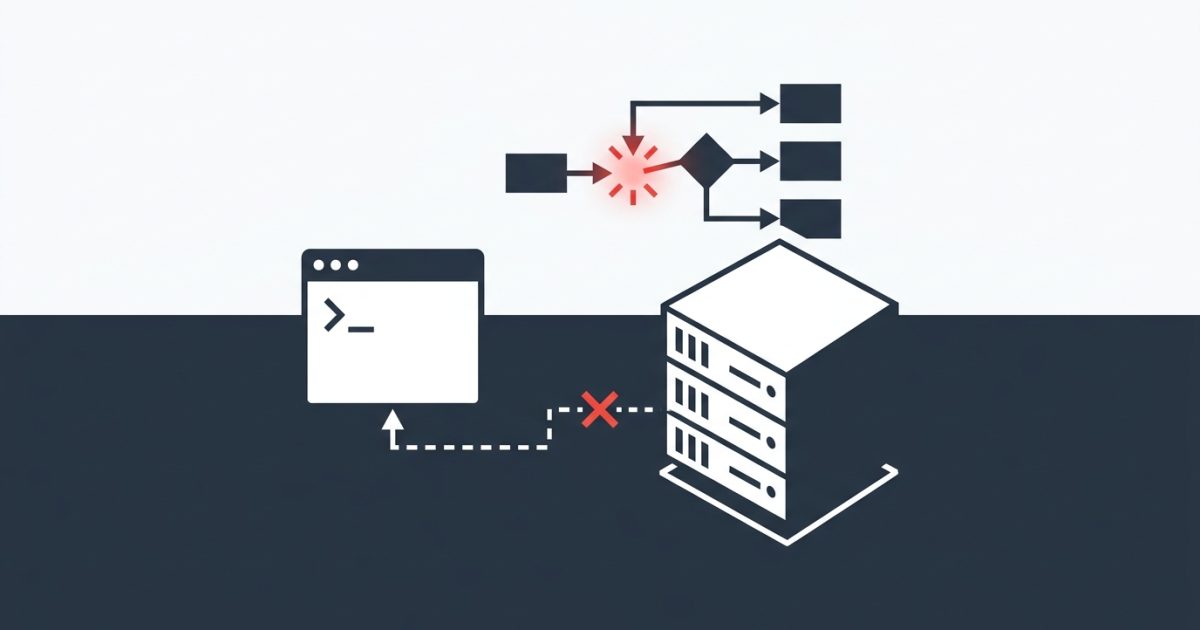
The most common mistake with this error is assuming port 8000 is busy and trying --port=8001, then 8002, then 8080, and getting the same error every time. When php artisan serve (failed to listen on 127.0.0.1:8000 (reason: ?)) shows up, the question mark means PHP didn't report a reason, and that missing reason is a clue in itself.
Here's what you'll see in the terminal:
Failed to listen on 127.0.0.1:8000 (reason: ?)It usually comes from one of three things:
variables_orderin php.ini is missing theE, which breaks howartisan servestarts PHP's built-in server. This is the most common cause on Windows.- Another process is already using the port. Often it's an old
artisan serverunning in a terminal you forgot about. - Windows has reserved the port. Hyper-V, WSL or Docker can block whole port ranges, and the port looks free when you check it.
Short answer: Open the php.ini used by your command line, find variables_order = "GPCS", and change it to "EGPCS". Then run php artisan serve again. If it still fails, check what's using port 8000 with netstat, and on Windows check the reserved port ranges with netsh.
I'll use one setup throughout this article: a Laravel project at C:\xampp\htdocs\shop on Windows with XAMPP. I've added the macOS and Linux commands where they're different.
Quick Fix: Change variables_order in php.ini
First, find out which php.ini your terminal actually uses. This isn't always the one you'd expect, especially if you have more than one PHP installed:
php --iniCheck the line Loaded Configuration File. On a default XAMPP install it's C:\xampp\php\php.ini.
Now check the current value:
php -r "echo ini_get('variables_order');"If it prints GPCS, that's your problem. Open that php.ini, search for variables_order, and change it:
; before
variables_order = "GPCS"

; after
variables_order = "EGPCS"
Save the file, open a new terminal so nothing from the old session is reused, and try again:
cd C:\xampp\htdocs\shop
php artisan serve
You should now see Server running on [http://127.0.0.1:8000].
Why this one setting matters
artisan serve doesn't serve your app directly. It starts a separate php -S process and passes environment variables to it. The E in variables_order tells PHP to fill $_ENV. Without it, Laravel can't pass those variables to the new process properly, the child process fails to start, and PHP has no specific reason to report. So you get the question mark.
To be clear about what's tested and what isn't: changing GPCS to EGPCS is a widely reported fix for this exact error, and it's the first thing I check. I'm not sure every Laravel and PHP version behaves the same way, so if the value already says EGPCS, move on to the next causes.
While you're editing php.ini, keep it open. Upload limits and POST size live in the same file, and the PHP POST capacity limit guide covers those settings if you need them later.
Diagnosing "Failed to Listen on 127.0.0.1:8000" Cause by Cause
Cause 1: Something is already using port 8000
How to confirm it on Windows:
netstat -ano | findstr :8000If you see a LISTENING line, the last column is the process ID. Look it up:
tasklist /FI "PID eq 12345"On macOS or Linux:
lsof -i :8000The fix: If it's an old php.exe from an earlier artisan serve, stop it:
taskkill /PID 12345 /FOn macOS or Linux, use kill 12345.
If it's something you want to keep running (another dev server, a Docker container), just pick a different port:
php artisan serve --port=8080One detail worth knowing: when you don't pass --port, newer versions of Laravel try the next few ports automatically if 8000 is taken. So if you see the error even though Laravel moved through several ports, the port itself probably isn't the issue. Go back to the quick fix or check Cause 2.
Cause 2: Windows has reserved the port
This one is frustrating. netstat shows nothing on port 8000, but Windows still won't let PHP bind to it. Hyper-V, WSL 2 and Docker Desktop can reserve blocks of ports, and those ports are off-limits even though nothing is using them.
How to confirm: Open Command Prompt as Administrator:
netsh interface ipv4 show excludedportrange protocol=tcpIf 8000 falls inside one of the ranges listed, that's your cause.
The fix: The simplest option is to choose a port outside every listed range:
php artisan serve --port=8888If you really need 8000, restarting the Windows NAT service often frees the reservations. In an Administrator prompt:
net stop winnat
net start winnat
Stopping winnat briefly interrupts networking for WSL and Docker, so close those first. The reserved ranges can come back after a reboot. Personally, I just keep my Laravel projects on a port I know is outside the ranges and don't worry about it.
Cause 3: Laravel is using a different PHP than you think
XAMPP, Laragon, Herd, Chocolatey and manual installs can all add their own php.exe to your PATH. You might fix the right php.ini for the wrong PHP.
How to confirm:
where php
php -v
On macOS or Linux, use which php.
If where php lists more than one path, the first one is what runs. Check that php --ini points to the file you edited.
The fix: Edit the php.ini that belongs to the first PHP in the list, or reorder your PATH in Windows environment variables so the PHP you want comes first. Open a new terminal afterwards. Terminals that are already open keep the old PATH.
Cause 4: Firewall, antivirus or host binding
A security tool that blocks php.exe from opening a port can produce the same vague error. And if localhost resolves to IPv6 on your machine, binding to it can behave differently from 127.0.0.1.
How to confirm: Try binding explicitly to a different address:
php artisan serve --host=127.0.0.1 --port=8080
php artisan serve --host=0.0.0.0 --port=8080
If 0.0.0.0 works and 127.0.0.1 doesn't, something on your machine is blocking the loopback address. If neither works and the earlier causes check out, temporarily allow php.exe in your firewall or antivirus and test again. Turn the protection back on afterwards and add a proper exception instead of leaving it off.
If Nothing Worked: Find Out Whether It's Laravel or PHP
This is the most useful test of the lot. It skips Laravel entirely and starts PHP's built-in server directly:
cd C:\xampp\htdocs\shop
php -S 127.0.0.1:8000 -t public- If this works, PHP can listen on the port, and the problem is in how
artisan servestarts the server. That almost always points back tovariables_orderor to the PHP version mismatch in Cause 3. - If this also fails, PHP prints a real reason this time (something like "Address already in use" or an access-permissions message). That points to Cause 1, 2 or 4.
For more detail from Laravel itself, run the command in verbose mode:
php artisan serve -vvvAnd if you're asking someone for help on Stack Overflow or in a team chat, include the output of these commands. They answer most of the follow-up questions straight away:
php -v
php --ini
php -r "echo ini_get('variables_order');"
where php
netstat -ano | findstr :8000
Once the server is running, your next local issue is usually the database. The migrate:fresh --seed troubleshooting guide picks up from there.
FAQ
What does "reason: ?" mean in php artisan serve?
It means PHP failed to start the server but didn't give a specific reason. With a busy port you'd normally see "Address already in use". The question mark usually means the problem happened while starting the server process, which is why the variables_order setting is the first thing to check.
Can I change the default port for php artisan serve?
Yes. Pass --port=8080 on the command line. You can also set SERVER_PORT=8080 in your .env file, and newer Laravel versions use it as the default. If you're not sure your version supports that, the --port flag always works.
Is it safe to set variables_order to "EGPCS"?
For local development, yes, and it's PHP's own built-in default. The production php.ini template leaves out E to save a bit of memory, but on your local machine that doesn't make a noticeable difference. Don't change it on a production server without checking with whoever manages that server.
Why does php artisan serve (failed to listen on 127.0.0.1:8000 (reason: ?)) only happen on Windows?
It can happen anywhere, but Windows causes two of the three common triggers. XAMPP and other Windows PHP bundles often ship a php.ini with variables_order = "GPCS", and Windows reserves port ranges for Hyper-V and WSL. On macOS and Linux, the cause is almost always a process already using the port, which lsof -i :8000 finds quickly.