Part of the guide: Website Security on Shared Hosting: Practical Guides
ModSecurity 403 Forbidden on Laravel cPanel: Fix

Your Laravel application works perfectly on XAMPP. You upload it to cPanel, configure the database, and everything seems fine until you try saving an article or submitting an admin form.
Instead of a success message, you get:
403 Forbidden — You don't have permission to access this resource.
There is no Laravel exception page, no useful stack trace, and possibly nothing new in storage/logs/laravel.log.
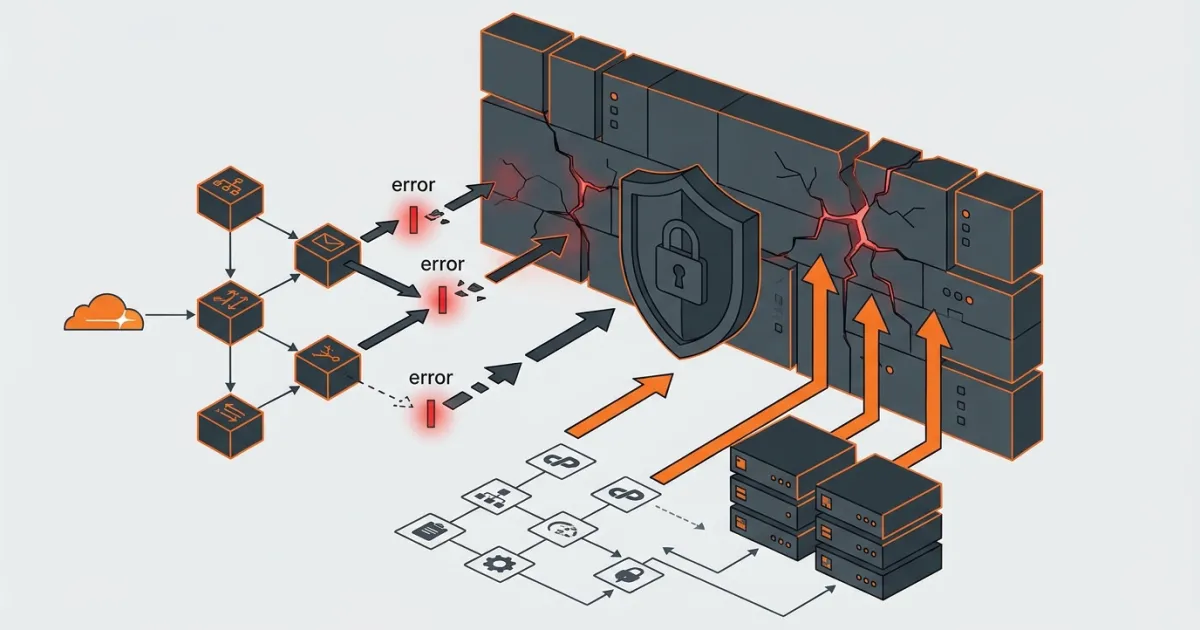
A ModSecurity 403 Forbidden on Laravel cPanel can happen when the server's web application firewall (WAF) identifies legitimate form content as suspicious and rejects the HTTP request.
An article containing SQL queries, HTML tags, JavaScript examples, or file paths can trigger this behavior.
But a 403 is not automatically a ModSecurity problem. Apache permissions, Laravel authorization, hosting security software, and Cloudflare can produce similar responses.
The safe fix is to identify which component rejected the request, find the rule that matched, and correct the form input or create a narrowly scoped exception.
Quick answer: Reproduce the error, open cPanel → Metrics → Errors, and look for a ModSecurity entry matching the request. If you see rule 949110, inspect other entries sharing its transaction ID to identify the original detection rule. Fix the input or ask your host to exclude the specific rule for the affected endpoint. Do not disable the entire firewall permanently.
1. Diagnose ModSecurity 403 Forbidden on Laravel cPanel
Before editing configuration files, determine whether the 403 originates from Laravel, Apache, Cloudflare, or ModSecurity.
Identify the error page
| What you see | Possible source |
|---|---|
| Plain Apache-style Forbidden page | Apache permissions, ModSecurity, or another server rule |
| Laravel-styled 403 page | Laravel authorization, middleware, policy, or custom error handling |
JSON saying This action is unauthorized. | Laravel authorization failure |
| Cloudflare-branded block page | Cloudflare security rule |
| Unstyled 403 behind Cloudflare | Often the origin server, although some Cloudflare edge errors are unstyled |
| Only one form fails on POST | Request inspection, application authorization, or input validation |
These are clues, not definitive tests. Custom Apache error documents and reverse proxies can change what a response looks like.
Check the failing request
Open your browser's developer tools:
- Select the Network tab.
- Submit the form that returns 403.
- Find the failed request.
- Record its HTTP method, URL, response status, and response headers.
- Check whether the response contains Laravel JSON, Apache HTML, or a Cloudflare error.
For example:
Request URL: https://example.com/admin/posts
Request Method: POST
Status Code: 403 Forbidden
Content-Type: text/html
A form returning HTML when your JavaScript expects JSON suggests that something outside the expected API response flow might be rejecting it.
However, it does not prove ModSecurity is responsible.
Check Laravel before blaming Apache
Laravel can return 403 when a policy, gate, Form Request authorization method, or middleware denies access.
Typical examples include:
// Controller authorization
$this->authorize('update', $post);

// Explicit access denial
abort(403, 'Unauthorized action.');

// Form Request
public function authorize(): bool
{
    return false;
}
These can produce 403 responses even when ModSecurity is working normally.
You can temporarily add a diagnostic log entry inside the affected controller method:
use Illuminate\Support\Facades\Log;

Log::info('Reached posts.store');
This assumes you add the statement inside the controller method handling the failing request and have a functioning Laravel log channel.
If the message appears, the request reached that controller method.
If it does not appear, the request might have been stopped by ModSecurity, but it could also have been rejected by Laravel middleware or Form Request authorization before the controller executed.
Also check the configured log destination. Laravel does not necessarily write to storage/logs/laravel.log; a daily channel, external log destination, or another configured channel may be in use.
Remove temporary diagnostics after testing.
The reliable evidence is a matching ModSecurity entry in the server logs, not merely an empty Laravel log.
Check the cPanel error log
Navigate to:
cPanel → Metrics → Errors
The cPanel Errors interface displays up to 300 recent web-server error entries, newest first.
Reproduce the failed request and immediately refresh the error page.
Look for an entry similar to:
ModSecurity: Access denied with code 403If you find one with the matching URL and timestamp, you have strong evidence that ModSecurity caused the failure.
Some shared hosts keep detailed ModSecurity events only in an audit log that regular cPanel users cannot access.
If the relevant entry is missing, contact hosting support instead of assuming ModSecurity is innocent.
Official documentation: cPanel Errors.
2. Find the Blocking Rule ID and Understand Anomaly Scoring
Identifying the original detection rule is the most important troubleshooting step.
A common mistake is seeing rule 949110 and asking the hosting provider to disable it.
That is usually the wrong rule to remove.
Read the related log entries
In an OWASP Core Rule Set installation using anomaly scoring, the logs might resemble this shortened example:
ModSecurity: Warning.
[id "941100"]
[msg "XSS Attack Detected via libinjection"]
[data "Matched Data found within ARGS:body"]
[uri "/admin/posts"]
[unique_id "EXAMPLE123"]

ModSecurity: Access denied with code 403 (phase 2).
[id "949110"]
[msg "Inbound Anomaly Score Exceeded"]
[uri "/admin/posts"]
[unique_id "EXAMPLE123"]
This is an illustrative example, not an actual captured request. The precise message and rule depend on your installed ruleset.
The important fields are:
| Field | What it means |
|---|---|
id | The rule that generated the event |
msg | Description of the detected condition |
data | Matched input, when logged |
uri | Requested URL path |
unique_id | Identifier used to correlate related log entries |
phase | Request-processing stage involved |
severity | Severity assigned to the detection |
In the example, 941100 is the detection rule and 949110 is the anomaly-score blocking evaluation.
The ARGS:body entry identifies the input field that caused the match.
If your Laravel form contains:
<textarea name="body"></textarea>then the body field is the one to investigate.
Do not automatically remove 941100. First establish that the request is legitimate and that the rule is producing a false positive.
Common OWASP CRS rule categories
| Rule prefix | Category | Possible Laravel trigger |
|---|---|---|
| 920 | Protocol enforcement | Unusual HTTP headers or request formats |
| 930 | Local file inclusion | File paths or traversal-like strings |
| 932 | Remote command execution | Shell commands in documentation fields |
| 933 | PHP injection | PHP code examples in an editor |
| 941 | Cross-site scripting | HTML, scripts, or event-handler attributes |
| 942 | SQL injection | SQL examples or query-like text |
| 949 | Inbound blocking evaluation | Accumulated anomaly score reached the threshold |
These categories describe OWASP CRS conventions. Another commercial ModSecurity ruleset may use different IDs.
How anomaly scoring works
OWASP CRS normally separates detecting suspicious content from the decision to block a request.
Matching detection rules contribute points to a transaction's anomaly score.
The default severity scores are:
| Severity | Default score |
|---|---|
| CRITICAL | 5 |
| ERROR | 4 |
| WARNING | 3 |
| NOTICE | 2 |
The default inbound anomaly threshold is 5.
For example:
- One CRITICAL rule match contributes 5 points and reaches the default threshold.
- One WARNING match contributes 3 points and normally does not reach the threshold.
- Two WARNING matches contribute 6 points and reach the threshold.
These are the standard CRS defaults, not immutable settings. Administrators can change thresholds or severity scores.
Importantly, the log label ModSecurity: Warning is not the same thing as the CRS severity classification WARNING.
A log event may begin with ModSecurity: Warning while the matched CRS rule has severity CRITICAL.
This distinction matters when calculating anomaly scores.
Also, anomaly scoring is not the only ModSecurity blocking mode. Some vendor rules can issue direct blocking actions without the same CRS evaluation flow.
Why excluding one rule might not fix it
Suppose an article contains:
SELECT id, name
FROM employees
WHERE department_id = 10;
The example might trigger more than one SQL injection detection rule, depending on the CRS version and configured settings.
Removing one false-positive match may still leave enough other matches to exceed the threshold.
That is why you should collect all relevant rule matches associated with the same transaction before changing anything.
Check the CRS paranoia level
OWASP CRS also supports four paranoia levels.
| Level | Behavior |
|---|---|
| PL1 | Baseline rules with relatively few expected false positives |
| PL2 | Additional detection rules requiring more tuning |
| PL3 | Aggressive protection with more expected false positives |
| PL4 | Extremely aggressive detection with substantial tuning requirements |
A higher paranoia level enables additional checks. It does not simply increase the anomaly score for every existing rule.
If legitimate Laravel admin forms are repeatedly blocked, ask the hosting provider which paranoia level and inbound anomaly threshold are configured.
Do not increase the anomaly threshold just to make a form work. That can also allow malicious requests that would otherwise have been blocked.
Official references:
3. Fix the Laravel Form Without Disabling ModSecurity
Once you know which field triggered the false positive, inspect what the application sends.
For many applications, changing the data structure is preferable to weakening security controls.
Case A: Rich-text editor triggers an XSS rule
Consider an admin article editor that accepts HTML:
<iframe src="https://example.com/video"></iframe>A WAF may treat iframe markup as suspicious because similar markup can be used in cross-site scripting attacks.
If the application only needs approved video embeds, consider storing a verified video identifier rather than arbitrary iframe HTML.
For example:
$data = $request->validate([
    'title' => ['required', 'string', 'max:200'],
    'video_id' => [
        'nullable',
        'string',
        'regex:/^[A-Za-z0-9_-]{11}$/',
    ],
]);
This example validates the identifier format commonly used by YouTube videos. It does not confirm that a video exists or is permitted.
The application can construct the expected embed URL server-side using the validated identifier.
This reduces the need to accept arbitrary iframe markup.
However, it is not suitable for a general-purpose HTML editor that must support many embed providers.
For those applications, use a maintained HTML sanitizer with an explicit allowlist of permitted elements and attributes.
Laravel validation alone does not sanitize HTML.
Case B: Code samples trigger PHP or SQL rules
Developer blogs often need to store examples containing strings such as:
<?php

$query = "SELECT * FROM employees";

echo $query;
A generic WAF cannot always distinguish educational source code from an injection attempt.
Forcing users to remove legitimate technical content is usually not a satisfactory long-term fix.
If source code is an essential feature, keep the field and use a narrowly scoped WAF exclusion after reviewing the specific false positive.
Continue validating input size, authenticating authors, checking permissions, and safely handling stored content.
Do not assume that an authenticated user can never submit malicious content.
Case C: File paths trigger traversal detection
Fields containing strings resembling relative paths can trigger rules associated with local file inclusion or path traversal.
Where possible, accept an application-generated file ID instead of a client-supplied filesystem path.
Then resolve the file through a database record and a configured Laravel storage disk.
Do not directly concatenate an arbitrary user-supplied path into a filesystem operation.
For browser-facing file links, Laravel's Storage::url() may be appropriate for supported disks, while Storage::path() returns a filesystem path where the disk supports it.
Choose the method based on the intended operation.
Why Base64 is not a proper WAF fix
A frequently suggested workaround is to Base64-encode a problematic field in JavaScript and decode it in PHP.
Although this can change what the WAF observes, it does not make the original content safe.
Depending on the WAF and its transformations, encoding may prevent the normal inspection rules from recognizing the original input.
That effectively creates an application-level inspection bypass.
It is especially dangerous on public forms and APIs.
Base64 is an encoding format, not input validation, sanitization, or an access-control mechanism.
For a production Laravel application, prefer fixing the accepted input format or arranging an appropriate WAF exclusion.
Verification: Resubmit the legitimate form, confirm that the application saved the expected data unchanged, and check whether the same ModSecurity rule was triggered again.
4. Ask Your Host for a Narrow ModSecurity Rule Exclusion
When a legitimate field must contain HTML or code examples, a targeted rule exclusion is usually more suitable than disabling ModSecurity.
On ordinary shared hosting, the hosting provider generally needs to configure it.
If you manage a cPanel/WHM server, you can use Apache configuration include files.
Option A: Exclude one rule for one URL
Assume the verified event shows:
Domain: example.com
Path: /admin/posts
Method: POST
Rule ID: 941100
Matched field: ARGS:body
For a conventional cPanel EasyApache 4 Apache installation, per-domain virtual-host include files use paths such as:
/etc/apache2/conf.d/userdata/ssl/2_4/cpuser/example.com/modsec.confFor a corresponding non-SSL virtual host:
/etc/apache2/conf.d/userdata/std/2_4/cpuser/example.com/modsec.confReplace cpuser and example.com with the actual account and domain. These files are managed by a root-level server administrator, not through an ordinary shared-hosting File Manager.
A narrowly scoped example is:
<LocationMatch "^/admin/posts/?$">
    SecRuleRemoveById 941100
</LocationMatch>
This removes rule 941100 from that matched location in a supported configuration.
It does not remove every ModSecurity rule.
However, it still removes that entire rule's protection for the matched endpoint, regardless of which field caused the request.
That is broader than a field-specific exclusion.
Notice the anchored regular expression:
^/admin/posts/?$It matches /admin/posts and /admin/posts/, rather than automatically matching every child route.
If your application uses a different endpoint, adjust the expression to its actual route.
Also, <LocationMatch> scopes by URL path, not automatically by HTTP method. The example therefore applies to methods using that location.
Option B: Exclude only the matching form field
The OWASP CRS documentation supports excluding an individual input variable from a specific rule:
SecRuleUpdateTargetById 941100 "!ARGS:body"This tells the configured rule not to inspect the body argument.
The syntax is supported, but the scope and placement matter.
Applied at broad configuration scope, it can affect the field wherever that configuration applies.
Configure-time exclusions must also be loaded after the relevant CRS rules are defined.
Do not paste the directive into a random .htaccess file.
For even narrower tuning, OWASP documents runtime exclusions using:
ctl:ruleRemoveTargetByIdThese can be conditioned on a request path and other attributes, including the HTTP method.
Ask your hosting administrator to use this approach when possible so that the exception applies only to the legitimate field on the intended endpoint.
The administrator must ensure that the runtime exclusion executes before the detection rule it modifies.
There is another edge case: target exclusions can behave differently with chained CRS rules. The OWASP documentation notes that a target exclusion may affect only the first rule in a chain.
If a field-specific exclusion does not work, inspect the rule definition before expanding its scope.
Rebuild and check Apache configuration
After creating a supported cPanel userdata include, a server administrator can run:
/usr/local/cpanel/scripts/rebuildhttpdconf
apachectl -t
The first command rebuilds Apache's generated configuration.
The second tests Apache configuration syntax without intentionally restarting the server.
Proceed only if the syntax test succeeds.
Then restart through cPanel's supplied script:
/usr/local/cpanel/scripts/restartsrv_httpdThese are root-level administrative commands. Do not run them on shared hosting without authorization.
A successful syntax check does not prove that the exclusion has the intended security scope. The administrator should confirm the rule behavior after restart.
Keep a copy of the previous include configuration so the change can be reversed if necessary.
Official references:
- cPanel Apache Virtual Host Includes
- cPanel Per-User ModSecurity Rule Exclusions
- OWASP CRS False Positives and Tuning
Hosting support ticket template
If you cannot access WHM, send the following information to your provider:
Subject: ModSecurity false positive on Laravel admin form

Hello Support,

A legitimate Laravel admin request is returning HTTP 403.

Domain: example.com
Endpoint: POST /admin/posts
Date and time: [actual date, time, and timezone]
Client IP: [actual public IP]
Rule ID: [confirmed detection rule ID]
Matched field: [confirmed field, if available]
Transaction ID: [actual unique_id, if available]

The affected endpoint is an authenticated admin form.

Please review the ModSecurity audit log and confirm whether
this is a false positive.

If confirmed, please apply the narrowest supported exclusion
for the specific rule, input field, and request path.

Please keep ModSecurity enabled for the domain.

After applying the change, please confirm the scope and
provide the rule ID that was excluded.

Thank you.
Never send your Laravel .env contents, session cookies, authentication tokens, or actual passwords as troubleshooting evidence.
Why you should not disable rule 949110
In normal OWASP CRS anomaly-scoring configurations, rule 949110 performs the inbound anomaly-score blocking evaluation.
Disabling it broadly can undermine blocking decisions across the CRS request ruleset.
It is not equivalent to excluding the particular XSS or SQL injection rule that caused the false positive.
If 949110 appears in your log, trace the matching detection events first.
For additional hosting hardening, see the HeadsNTail Website Security Checklist for cPanel.
5. Use the cPanel ModSecurity Switch for Diagnosis Only
Some hosting providers expose a ModSecurity interface directly inside cPanel.
Navigate to:
cPanel → Security → ModSecurity
Depending on the provider, you may see controls for all domains and individual domains.
cPanel recommends keeping ModSecurity enabled and disabling it only during troubleshooting.
Temporary confirmation procedure
- Record the current ModSecurity setting.
- Choose the affected domain rather than all hosted domains.
- Temporarily set ModSecurity to Off.
- Submit the same legitimate request once.
- Record whether the response changes.
- Immediately return the domain setting to On.
- Confirm that the original setting has been restored.
If the form succeeds only while ModSecurity is disabled, that strongly supports ModSecurity being involved.
It still does not identify the exact detection rule or prove that every triggered rule was a false positive.
You must inspect the logs to determine the appropriate exclusion.
What disabling ModSecurity actually does
Turning ModSecurity off for a domain stops its rules from being applied to that domain.
It can reduce protection against requests carrying SQL injection patterns, malicious file uploads, exploit probes, and other suspicious input.
Laravel still has its own protections, such as authorization checks, CSRF verification for applicable web routes, output escaping, and parameterized database queries when used correctly.
Those controls are valuable but are not a reason to switch off the WAF permanently.
What if the ModSecurity option is missing?
The hosting provider may have disabled access to this interface in WHM's Feature Manager.
The server also requires an appropriate ModSecurity Apache module for the interface to be available.
On managed or shared hosting, this may be intentional.
Ask the provider to inspect the rule logs and perform the narrowly scoped exclusion rather than requesting full firewall removal.
Official documentation: cPanel ModSecurity.
6. Common Problems and How to Verify the Fix
Several problems resemble a ModSecurity 403 but have entirely different causes.
Problem 1: GET works but POST returns 403
This frequently happens when an otherwise valid form submits data that triggers request-body inspection.
A possible sequence is:
GET /admin/posts/create  -> 200 OK

POST /admin/posts        -> 403 Forbidden
Check the submitted field names against the rule's logged target, such as ARGS:body.
But also inspect the Laravel route's authorization middleware.
Do not assume that POST-only failures are necessarily WAF-related.
Problem 2: An actual public directory conflicts with a Laravel route
Suppose Laravel has this route:
Route::get('/admin', function () {
    return view('admin.dashboard');
});
But Apache's document root contains a real directory:
public/admin/A standard Laravel Apache rewrite configuration contains conditions like:
RewriteCond %{REQUEST_FILENAME} !-d
RewriteCond %{REQUEST_FILENAME} !-f
These conditions normally prevent requests for existing directories and files from being rewritten to Laravel's front controller.
Consequently, Apache may try to serve the physical directory.
If no directory index exists and directory listing is forbidden, Apache can return 403.
The error log may report that it cannot serve the directory.
The fix is to investigate the physical directory conflict, not disable ModSecurity.
The Laravel Deployment on cPanel Checklist explains how to arrange Laravel's public directory properly.
Problem 3: Cloudflare returns the 403
If Cloudflare is in front of your site, inspect the failed request carefully.
Cloudflare documentation explains that an unbranded 403 commonly comes from the origin server, including Apache or ModSecurity.
A branded block page more strongly suggests Cloudflare's security controls.
There are exceptions. Some Cloudflare-generated 403 responses are unstyled, such as certain early infrastructure-level validation failures.
Therefore, use Cloudflare security events, origin logs, and available request identifiers to distinguish the source.
Cloudflare's managed rulesets also depend on the subscription plan.
According to its documented plan availability, the Free Managed Ruleset is available on Free plans, while the broader Cloudflare Managed Ruleset and Cloudflare OWASP Core Ruleset require Pro or higher.
Cloudflare does not automatically eliminate the need for origin security.
Official reference: Cloudflare Error 403.
Problem 4: Old .htaccess ModSecurity directives
You may find an old tutorial suggesting:
<IfModule mod_security.c>
    SecFilterEngine Off
    SecFilterScanPOST Off
</IfModule>
These directives come from ModSecurity 1.x.
They are not the correct method for managing current ModSecurity 2 configurations.
If the old module condition does not match, Apache may simply skip the block.
If an unsupported directive is processed, Apache can reject the configuration and produce a 500 error.
Replacing it with:
SecRuleEngine Offinside .htaccess is not a reliable workaround either. Many hosting configurations do not permit ModSecurity control directives in that context.
Use the supported cPanel interface or a server-level configuration managed by the host.
For legitimate Apache response-header configuration, see the HeadsNTail .htaccess Security Headers Guide.
Problem 5: The problem is actually Laravel 419
A failed form submission is not always a WAF block.
These HTTP statuses identify different classes of problems:
| Status | Typical cause | Where to investigate |
|---|---|---|
| 403 from Laravel | Authorization denied | Policies, gates, middleware |
| 403 from Apache or WAF | Access restriction or blocked request | Apache and ModSecurity logs |
| 419 | CSRF or session problem | Laravel session and CSRF configuration |
| 413 | Request body exceeds an allowed limit | Web server, PHP, proxy configuration |
| 500 | Application or configuration error | Laravel and web-server error logs |
A Laravel 419 frequently results from expired sessions, missing CSRF tokens, or cookie configuration problems.
See the Laravel 419 Page Expired Fix.
A 413 usually concerns request-size limits, not a false-positive XSS detection.
Do not respond to a 413 by excluding ModSecurity rules without evidence.
Problem 6: The exception works on one route but fails on another
Laravel often uses separate routes for creating and updating records.
For example:
POST /admin/posts

PUT /admin/posts/42
A ModSecurity exclusion scoped to /admin/posts does not automatically include /admin/posts/42.
This is desirable from a security perspective: exemptions should not spread to unrelated endpoints.
However, it also means you may need additional evidence and a separate exclusion for another affected route.
Confirm the exact method and path through the browser's Network tab.
Do not expand a regular expression to cover an entire admin area just because two forms have similar names.
Final verification checklist
After the hosting provider applies the fix:
- Re-enable ModSecurity if it was temporarily disabled.
- Submit the original legitimate content that caused the 403.
- Confirm that the response is successful.
- Verify that the saved content is complete and unchanged.
- Inspect the server log for another matching ModSecurity denial.
- Test related create and update forms.
- Confirm the exclusion is limited to the approved domain, route, field, or rule.
- Keep normal Laravel authentication, authorization, validation, and CSRF protections enabled.
A successful response alone is not enough.
The important result is that the legitimate request succeeds while the intended security protections remain active elsewhere.
If the error returns after a CRS update, review the newly triggered rule IDs rather than immediately broadening the old exclusion.
7. FAQ
Why does Laravel work on localhost but return ModSecurity 403 on cPanel?
Your local XAMPP installation may not have the same ModSecurity module, ruleset, paranoia level, or web-server configuration as your hosting provider.
A request that Laravel accepts locally can therefore be rejected by the hosting firewall before reaching PHP.
Compare the failed request with cPanel's server logs to confirm the cause.
How can I find the ModSecurity rule ID without SSH access?
Open cPanel → Metrics → Errors, reproduce the 403, and inspect the entries matching its timestamp and URL.
For OWASP CRS anomaly-score blocks, look beyond rule 949110 and identify the detection rules associated with the transaction.
If the needed entries are not visible, ask hosting support to inspect the ModSecurity audit log.
Can I disable ModSecurity using .htaccess?
Not reliably on modern shared cPanel hosting.
Old SecFilterEngine examples target ModSecurity 1.x, and current ModSecurity configuration directives are usually restricted to server-level configuration contexts.
Use cPanel's temporary domain switch to diagnose the problem or ask the provider for a narrow rule exclusion.
Does Cloudflare replace ModSecurity on a Laravel website?
Not automatically.
Cloudflare can protect traffic passing through its proxy, while origin ModSecurity may still inspect requests arriving at the server.
If the origin is reachable directly and not otherwise restricted, requests may bypass Cloudflare.
Keeping origin security controls active and restricting unwanted direct-origin access provides additional protection.
Final takeaway
A ModSecurity 403 Forbidden error on Laravel cPanel should be handled by identifying the actual blocking component, finding the matched rule and input field, and making the smallest practical correction.
Do not treat an empty Laravel log as proof of a WAF block. Do not disable the CRS anomaly-score blocking rule to fix one form. And do not hide form content through encoding just to get past inspection.
Once a verified false positive has been tuned correctly, your legitimate Laravel form should work without sacrificing firewall protection across the rest of the application.
Sources
- cPanel: ModSecurity
- cPanel: Errors
- cPanel: ModSecurity Tools
- cPanel: Apache Virtual Host Include Files
- cPanel Support: Per-User ModSecurity Exclusion
- cPanel Support: Whitelist a Specific URI
- OWASP CRS: Anomaly Scoring
- OWASP CRS: Paranoia Levels
- OWASP CRS: False Positives and Tuning
- Laravel 12.x: Error Handling
- Cloudflare: HTTP 403
- Cloudflare: Managed Rules Availability