Part of the guide: Laravel on cPanel & Shared Hosting: The Complete Guide
PHP 8.6 on cPanel: What's New and Should You Switch Now?

PHP 8.6.0 was released on 19 November 2026, and on 24 November cPanel added an ea-php86 package to EasyApache 4. That means PHP 8.6 can now show up in MultiPHP Manager, but only after your host (or you, on a VPS with WHM) installs it. For a live site the safe plan is simple: stay on PHP 8.4 or 8.5 for now, test 8.6 on a copy of the site, and switch once your framework and packages list 8.6 as supported.
This guide covers what changed in PHP 8.6, the changes that can break an existing site, and how to test and switch on cPanel without taking anything down.
Dates, versions and package names in this article were checked on 25 November 2026.
PHP 8.6 at a glance
| Item | Detail |
|---|---|
| Release date | 19 November 2026 (PHP 8.6.0) |
| Active support until | 31 December 2028 |
| Security fixes until | 31 December 2030 |
| cPanel package | ea-php86, added in EasyApache 4 version 25.100 on 24 November 2026 |
| Laravel 12 supported PHP | 8.2 to 8.5 |
| Laravel 13 supported PHP | 8.3 to 8.5 |
The Laravel rows come from the support table in the Laravel 13 release notes. PHP 8.6 is not listed there yet, so treat 8.6 as "test only" for Laravel apps until it is.
What is new in PHP 8.6
These are the features from the official release page that you are most likely to use in a normal PHP or Laravel project.
Partial function application
You can now fill in some arguments of a function and get back a closure that waits for the rest. A ? marks one missing argument, and ... stands for all remaining ones.
$makeSlug = str_replace(' ', '-', ?);

echo $makeSlug('Hello World'); // Hello-World

$titles = array_map(strtolower(?), $titles);
Before 8.6 the same thing needed an arrow function such as fn($s) => str_replace(' ', '-', $s). The release notes also say that array_map() with a first-class callable or a partial application is now compiled into a plain loop, so this style is not slower.
clamp()
clamp() keeps a value inside a range. If the value is too small you get the minimum, if it is too big you get the maximum.
clamp(10, min: 0, max: 100);  // 10
clamp(101, min: 0, max: 100); // 100
clamp(-1, min: 0, max: 100);  // 0
This replaces the common max(0, min(100, $value)) pattern, for example when you limit a per_page value that comes from the query string.
Time\Duration
A new Time\Duration class stores elapsed time with nanosecond precision and no time zone. Durations can be added, multiplied and compared, which is handy for retry delays and timeouts.
use Time\Duration;

$attempt = 3;
$base  = Duration::fromMilliseconds(100);
$delay = $base->multiplyBy(2 ** $attempt);
Readonly properties with default values
Instance readonly properties, including properties in readonly classes, can now declare a default value. The constructor cannot overwrite it.
final readonly class AppVersion
{
    public string $name = 'headsntail-tools';
}
Smaller additions worth knowing
#[\Override]now works on class constants and enum cases, so if you add the attribute, a typo in the constant name becomes a fatal error instead of a silent new constant.- JSON errors now include the location.
json_last_error_msg()can return a message like "Syntax error near location 3:12", which saves time when you debug a broken API payload. mysqli::quote_string()was added, matchingPDO::quote().ZipArchive::openString()andZipArchive::closeString()work with zip files in memory, without a temporary file.- A new
SortDirectionenum withAscendingandDescendingcases. - Streams can throw a
StreamExceptioninstead of only raising warnings, through a newerror_modecontext option.
Changes that can break an existing site
New features are optional. The items below are not, so these are the ones to check before you switch a live site.
1. Session defaults are stricter
Three session settings have new default values in PHP 8.6:
| Setting | Before 8.6 | PHP 8.6 |
|---|---|---|
session.use_strict_mode | 0 | 1 |
session.cookie_httponly | 0 | 1 |
session.cookie_samesite | not set | Lax |
Your host's php.ini can still set its own values, so check the real values in a phpinfo() page on the test copy. For most sites the new defaults are a security win. They can break a plain PHP site that reads the session cookie from JavaScript, or a site that receives a cross-site POST (some payment gateway callbacks and embedded forms work this way). If that is your case, set the old values back for that domain in cPanel's MultiPHP INI Editor, and for SameSite use None together with session.cookie_secure = 1.
Laravel manages its own session cookie through config/session.php and does not use PHP's native session functions, so these defaults usually do not change a Laravel app. If your Laravel app already shows "419 Page Expired" on form posts, fix the 419 error first, because a PHP upgrade makes it harder to tell what caused it.
2. trim() now removes form feed
trim(), ltrim() and rtrim() now strip the form feed character \f by default. This only matters if your code depends on \f surviving a trim, which is rare, but it can change the output of text parsers and import scripts.
3. More ValueError exceptions
Many built-in functions now throw ValueError where they used to accept bad input or only raise a warning. Examples from the migration guide:
array_filter()with an invalidmode,pathinfo()with invalidflags,scandir()with an invalid sorting orderfile_exists(),is_file(),filesize()and the otherstatfunctions when the path contains a NUL bytenumber_format()with adecimalsvalue outside the integer range
Old code that passed a bad value and ignored the warning will now stop with an uncaught exception. Your error log is where this shows up first.
4. Deprecations
Deprecations do not break anything today, but they fill the error log, and deprecated features are usually removed in a later major version. The ones most likely to appear in older projects:
spl_object_hash()(usespl_object_id())is_double(),is_integer(),is_long()anddoubleval()mb_ereg(),mb_split()and the othermb_ereg*functions (usepreg_*with theumodifier)returninside afinallyblock- returning a value from
__construct()or__destruct() - custom session handlers that do not implement both
create_sid()andvalidateId()
A quick way to see whether your own code uses any of these:
grep -rnE "spl_object_hash|is_double\(|is_integer\(|is_long\(|doubleval\(|mb_ereg|mb_split" . --include=*.php --exclude-dir=vendorStep 1: check your Composer packages first
Often the problem after a PHP upgrade is not your own code but a package in vendor/ that does not support the new version yet. Composer can tell you before you switch.
Run this from the project folder (in cPanel's Terminal, or locally):
composer why-not php 8.6.0If Composer reports that nothing prevents it, no package in your composer.lock blocks PHP 8.6. If it lists packages, those are the ones whose PHP constraint stops at 8.5 or lower. Update them with composer update vendor/package and run the command again.
After you switch a test copy to 8.6, also run:
composer check-platform-reqsThis compares the PHP version and extensions that are running with what your installed packages require. Run it with the same PHP version the site uses: on cPanel, the php command in Terminal can be a different version from the one MultiPHP Manager sets for the website.
Step 2: test on a copy, not on the live site
Two simple ways to test:
- A staging subdomain. Create
staging.yourdomain.comin cPanel, copy the files and a copy of the database there (the same steps as in deploying Laravel on cPanel), and point its.env(orconfig.php) at the copied database. Then set only the staging subdomain to PHP 8.6 in MultiPHP Manager. - Locally. If you develop on Windows, test with a separate PHP 8.6 build and keep your current XAMPP PHP untouched until the project runs clean.
While you test, keep the error log open. On cPanel it is usually error_log in the folder of the script, and for Laravel it is storage/logs/laravel.log. Click through login, forms, file uploads, payments, emails and any cron or queue jobs, because those are the parts that touch sessions, streams and files.
Step 3: switch the version in cPanel
When the test copy is clean:
- Open cPanel » Software » MultiPHP Manager.
- Tick the domain you want to change.
- Choose the PHP 8.6 option (shown as ea-php86) from the PHP Version list and click Apply.
- Load the site and check the version with a temporary
phpinfo()file, then delete that file.
If PHP 8.6 is not in the list, your host has not installed the package yet. On a VPS with WHM you can install it yourself under WHM » Software » EasyApache 4. On shared hosting, ask support when they plan to add it. Some shared hosts use CloudLinux's Select PHP Version page instead of MultiPHP Manager, and new versions arrive there on the host's own schedule.
To roll back, repeat the same steps and pick your old version, so keep a note of which version each domain used before the change.
So should you switch now?
For a production site, not yet. PHP 8.6.0 is a week old, the Laravel support table still stops at 8.5, and packages need time to catch up. PHP 8.4 has security fixes until the end of 2028 and 8.5 until the end of 2029, so there is no deadline pushing you to 8.6.
What does have a deadline is PHP 8.2: its security support ends on 31 December 2026 (see PHP 8.2 end of life on cPanel). If a site is still on 8.2, moving it to 8.4 or 8.5 now is the more urgent job, and the same testing steps above apply.
A sensible order for the next few months:
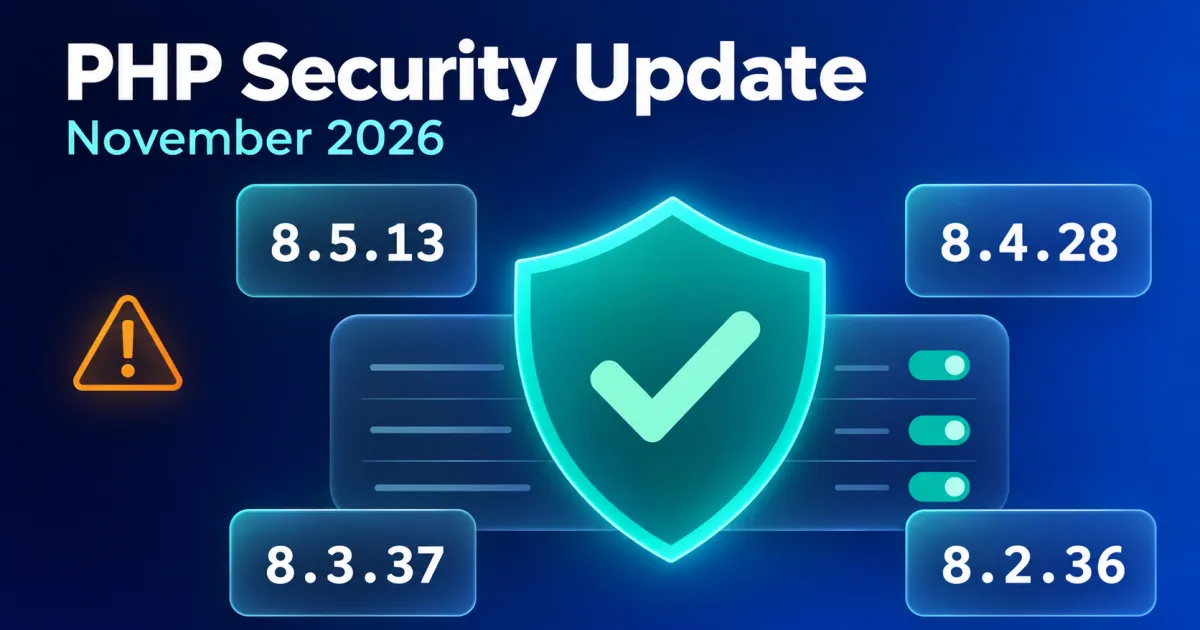
- Today: make sure every site runs the latest patch release of its branch (the November 2026 PHP security update lists the patched versions).
- This month: move anything on PHP 8.2 or older to 8.4 or 8.5.
- Now and over the next weeks: run
composer why-not php 8.6.0on your projects and test 8.6 on a staging copy. - Switch production to 8.6 once your framework and key packages list it as supported and a few 8.6.x patch releases are out.
FAQ
Is PHP 8.6 stable?
Yes. 8.6.0 is a general availability release, not a beta. "Stable" does not mean every hosting company, framework and package supports it yet, which is why testing first still matters.
Does Laravel work on PHP 8.6?
Laravel's own Composer constraint does not block 8.6, but the official support table lists PHP up to 8.5 for Laravel 12 and 13 as of 25 November 2026. Test your app on a staging copy and wait for 8.6 to appear in that table before switching production.
Why don't I see PHP 8.6 in MultiPHP Manager?
The ea-php86 package only became available in EasyApache 4 on 24 November 2026. The server administrator has to install it before it appears in the list. On shared hosting that is your host.
Will my WordPress or plain PHP site break on 8.6?
Most sites will not, but check the session defaults section above, the error log after switching, and whether your plugins or libraries say they support 8.6.
Can I run PHP 8.6 on one domain and keep the others on 8.4?
Yes. MultiPHP Manager sets the version per domain, so you can test 8.6 on a staging subdomain while the main site stays on its current version.
Can I go back if something breaks?
Yes. Select the previous version for that domain in MultiPHP Manager and click Apply. Files and databases are not changed by switching PHP versions.