Part of the guide: Website Security on Shared Hosting: Practical Guides
PHP Security Update November 2026: Patch PHP on cPanel
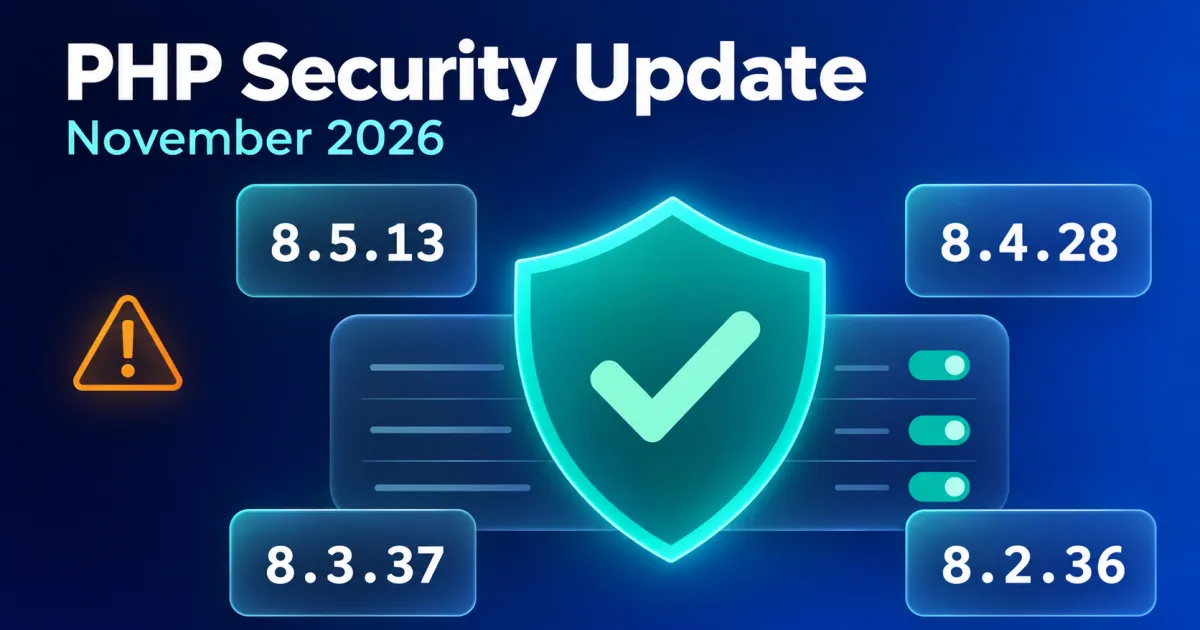
On 19 November 2026 PHP released security updates for its supported 8.2 to 8.5 branches: PHP 8.5.13, 8.4.28, 8.3.37 and 8.2.36. Check the full PHP version that serves your domain and compare it with the table below. If your version is lower, ask your host whether its installed package includes the November fixes, because some vendors backport security fixes and keep an older PHP version number.
What was released on 19 November 2026
php.net describes each of the four releases as a security release. The PHP 8 change log lists the security advisories fixed in each one:
| Your branch | Patched version | Security advisories fixed |
|---|---|---|
| PHP 8.5 | 8.5.13 | 17 |
| PHP 8.4 | 8.4.28 | 14 |
| PHP 8.3 | 8.3.37 | 13 |
| PHP 8.2 | 8.2.36 | 12 |
The numbers differ because some bugs only exist in newer branches. Twelve advisories are fixed in all four branches. PHP 8.3 and later get one more session fix, PHP 8.4 and 8.5 also get a DOM fix, and PHP 8.5 alone gets a URI fix and two fixes in the engine.
PHP 8.6.0, the new yearly release, came out on the same day. It is covered near the end, because the security builds are the urgent part.
How to check your real PHP version on cPanel
- Log in to cPanel and open MultiPHP Manager. On servers with CloudLinux there can also be a page called Select PHP Version. They show the branch each domain uses, for example "PHP 8.4".
- The branch is not enough. You need the full version. Create a file named
version-check.phpin the document root of the domain with this content:
<?php
echo PHP_VERSION;- Open
https://yourdomain.com/version-check.phpin the browser and read the number. - Delete the file when you are done.
Do not rely on php -v in the cPanel Terminal. The command line can use a different PHP version from the one that serves your website, so the browser check is the one that counts.
What the number tells you
If the browser shows 8.5.13, 8.4.28, 8.3.37, 8.2.36 or a higher number in the same branch, the November fixes are installed.
If it shows a lower number, do not conclude on your own that the server is unpatched. Ask the host. Some vendors backport security fixes into their own build and keep the older PHP version number, and that cannot be seen from the browser.
For PHP 8.2 to 8.5 on cPanel servers the number is a good signal. cPanel's EasyApache 4 packages and CloudLinux's own alt-php and ea-php packages for these branches all use the new version numbers. On those branches a lower number usually means the update has not been applied yet, and a ticket is the right next step.
Shared hosting: the host patches, you verify
On shared hosting you do not install PHP yourself. The packages come from cPanel or CloudLinux, and each hosting company applies them on its own schedule.
cPanel has already done its part. Its EasyApache 4 change log for November 2026 lists the updated packages:
| Package | From | To |
|---|---|---|
| ea-php82 | 8.2.35 | 8.2.36 |
| ea-php83 | 8.3.36 | 8.3.37 |
| ea-php84 | 8.4.27 | 8.4.28 |
| ea-php85 | 8.5.12 | 8.5.13 |
Many cPanel hosts run CloudLinux. There a domain can use an ea-php package or an alt-php package, and CloudLinux builds both itself. CloudLinux reported all of its fixed alt-php and ea-php packages as released on 19 November 2026. Its packages for PHP 8.2 to 8.5 carry the new version numbers. Its fixes for PHP 8.1 and older are backports: the PHP version stays the same and only the package release number goes up.
A published package does not mean your server has it. If your check shows a lower version, open a support ticket. A specific ticket gets a faster answer than "please update PHP":
Subject: PHP security fixes of 19 November 2026

My domain [yourdomain.com] reports PHP [your version, e.g. 8.4.27].
Which PHP package does this domain use (ea-php or alt-php), which
package release is installed, and does it include the PHP security
fixes of 19 November 2026 (CVE-2026-129289 and others)?
If not, when will the server be updated?
VPS with WHM: you patch it yourself
On a VPS or dedicated server with root access, nobody else updates PHP for you. Update the EasyApache 4 packages through WHM or through the server's normal package updates, then run the version check again for every PHP version that is installed, not only the one your main site uses. Restart the web server and PHP-FPM so that running processes load the new build.
cPanel & WHM also has its own internal PHP, separate from the ea-php packages that serve websites. Keep cPanel & WHM itself up to date as well.
Long-running command-line processes keep using the old PHP until they are restarted. For Laravel queue workers:
php artisan queue:restartThis command tells each worker to exit after its current job. A process monitor such as Supervisor has to be set up to start the workers again.
The fixes that matter most
One day before the release, php.net warned that the highest severity in this batch is critical, and added that the critical issues "require either non-default configuration or uncommon setups". Laravel's Forge advisory for the same release counts seven vulnerabilities rated critical (9.2 under CVSS 4.0) and four rated high, and it notes that a few of them touch default settings. It also lists when each critical bug can be used:
- PHP-FPM request smuggling (CVE-2026-129289), PHP 8.2 to 8.5. Can allow remote code execution without a login. It needs a web server that keeps FastCGI connections open between requests, and an application that opens the request body without reading all of it.
- Timezone cache use-after-free (CVE-2026-129496), PHP 8.2 to 8.5. Needs PHP to log errors to a file and a warning raised at startup.
- Partially overwritten session files (CVE-2026-126714), PHP 8.2 to 8.5. Needs file-based sessions, which is PHP's default, an interrupted session write, and a class in the application that can be abused.
- Session serializer mismatch (CVE-2026-115560), PHP 8.2 to 8.5. Needs
session.upload_progress.enabledswitched on together with a non-default session serializer. - Use-after-free after an interrupted session shutdown (CVE-2026-129481), PHP 8.3 to 8.5. Needs a fatal error inside a session callback.
- Two use-after-free bugs in error backtraces (CVE-2026-129474 and CVE-2026-129182), PHP 8.5 only. According to the Forge advisory, the second one comes from an incomplete fix in the October 2026 release.
The high-severity group is a local privilege escalation in PHP-FPM (CVE-2026-129291), a PHAR signature bypass (CVE-2026-128090), mixed-case HTTPS:// and FTPS:// URLs that could be sent in plaintext (CVE-2026-128064), and a denial of service through folded HTTP response headers (CVE-2026-127960). The change log also lists fixes in PHP-CGI, SOAP, DOM and the FPM status page.
On shared hosting you cannot see or change most of the server settings these bugs depend on. That is why the practical check is the installed build, not the configuration.
If you are still on PHP 8.2
PHP 8.2 gets 8.2.36 in this round, but its security support ends on 31 December 2026. After that date, a batch like this one will not be fixed for 8.2 by the PHP team. Plan the move to a newer branch in December. The steps for cPanel are in PHP 8.2 End of Life: What to Do on cPanel Before 31 Dec.
This is also the second month in a row with critical PHP fixes. The previous round is covered in PHP Security Update October 2026. A site that skipped the October update needs the November version just the same, because each release includes the earlier fixes.
PHP 8.6 came out the same day: should you switch?
PHP 8.6.0 was released on 19 November 2026. The release page lists Partial Function Application, a new Duration class, a Polling API and a new clamp() function as the main features, and readonly properties can now have default values.
For a production site on cPanel there is no hurry:
- As of 22 November 2026, the EasyApache 4 change log does not list an ea-php86 package.
- Laravel's support table, read on 22 November 2026, lists PHP 8.2 to 8.5 for Laravel 12 and PHP 8.3 to 8.5 for Laravel 13. PHP 8.6 is not in the table.
- Extensions and third-party loaders can take time to support a new PHP version.
Get the security build for your current branch first. Test 8.6 on a staging subdomain once your host offers it and your framework lists it as supported.
Support dates at a glance
| Branch | Active support until | Security support until |
|---|---|---|
| 8.2 | 31 Dec 2024 (ended) | 31 Dec 2026 |
| 8.3 | 31 Dec 2025 (ended) | 31 Dec 2027 |
| 8.4 | 31 Dec 2026 | 31 Dec 2028 |
| 8.5 | 31 Dec 2027 | 31 Dec 2029 |
| 8.6 | 31 Dec 2028 | 31 Dec 2030 |
Source: php.net supported versions page, read on 22 November 2026.
FAQ
Which PHP versions fix the November 2026 security issues?
PHP 8.5.13, 8.4.28, 8.3.37 and 8.2.36, all released on 19 November 2026. A lower number in the same branch does not have the fixes unless the vendor of that package has backported them.
Is my shared hosting account affected by CVE-2026-129289?
It depends on how the web server talks to PHP-FPM, which you cannot see from inside a cPanel account. If the browser check shows 8.2.36, 8.3.37, 8.4.28 or 8.5.13, the fix is installed. If it shows a lower number, ask your host whether the installed package includes the November fixes.
I am on PHP 8.1 or older. Is there a fix?
Not from the PHP team, which published releases only for 8.2 to 8.5. Some vendors patch older branches themselves. CloudLinux, for example, has released backported builds for its older alt-php and ea-php packages, where the PHP version number does not change. Ask your host which package you are on, and plan a move to a supported branch.
Do I have to move to PHP 8.6 to be safe?
No. The fixes are in 8.2.36, 8.3.37, 8.4.28 and 8.5.13. Stay on your current branch, get the patched build, and treat PHP 8.6 as a separate, later project.
Will PHP 8.2 get this kind of fix again?
Only until 31 December 2026, when security support for PHP 8.2 ends.
Sources
- php.net news: PHP 8.5.13, 8.4.28, 8.3.37, 8.2.36 and 8.6.0 released, 19 Nov 2026
- php.net: PHP 8 change log
- php.net: Supported versions
- php.net: PHP 8.6 release page
- php-src advisory GHSA-qc49-hpvq-g2w6, PHP-FPM request smuggling
- Laravel Forge: PHP security advisory, November 2026
- Laravel release notes and support policy
- cPanel: EasyApache 4 change log
- CloudLinux: PHP security releases, November 2026